
Markdown with a live view
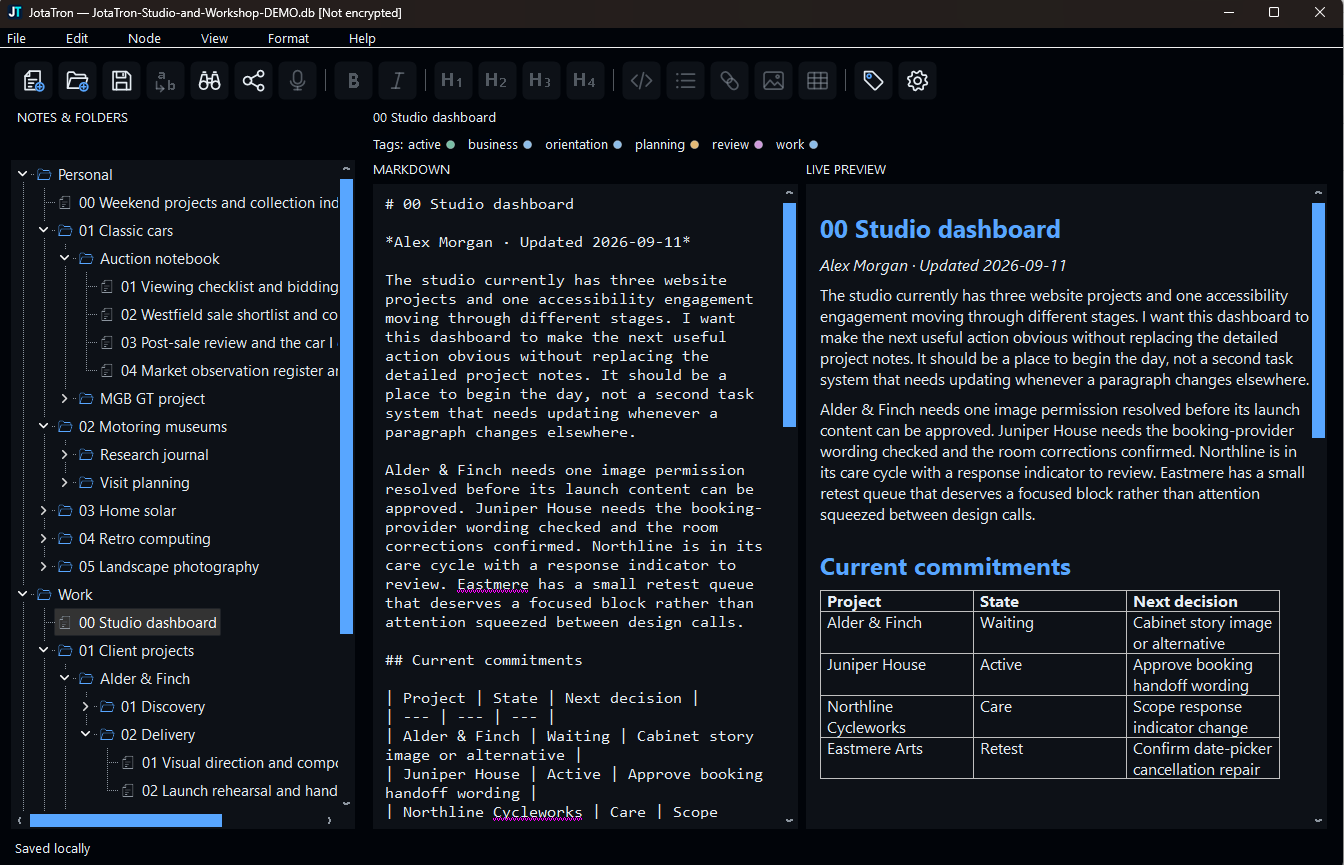
Use familiar formatting tools while source and preview stay side by side. Supported fenced code is colourised safely in the preview.
Local Windows notebook
Write in Markdown, organise with folders and colour-coded tags, then explore the links between your ideas. JotaTron keeps your notebook in a local database you control.
A useful place to think
JotaTron gives long-running projects, research and personal interests one dependable home without turning note-taking into another online service.
Use familiar formatting tools while source and preview stay side by side. Supported fenced code is colourised safely in the preview.
Build a nested hierarchy, move items by drag and drop, and connect related notes with tags that retain their own colours.
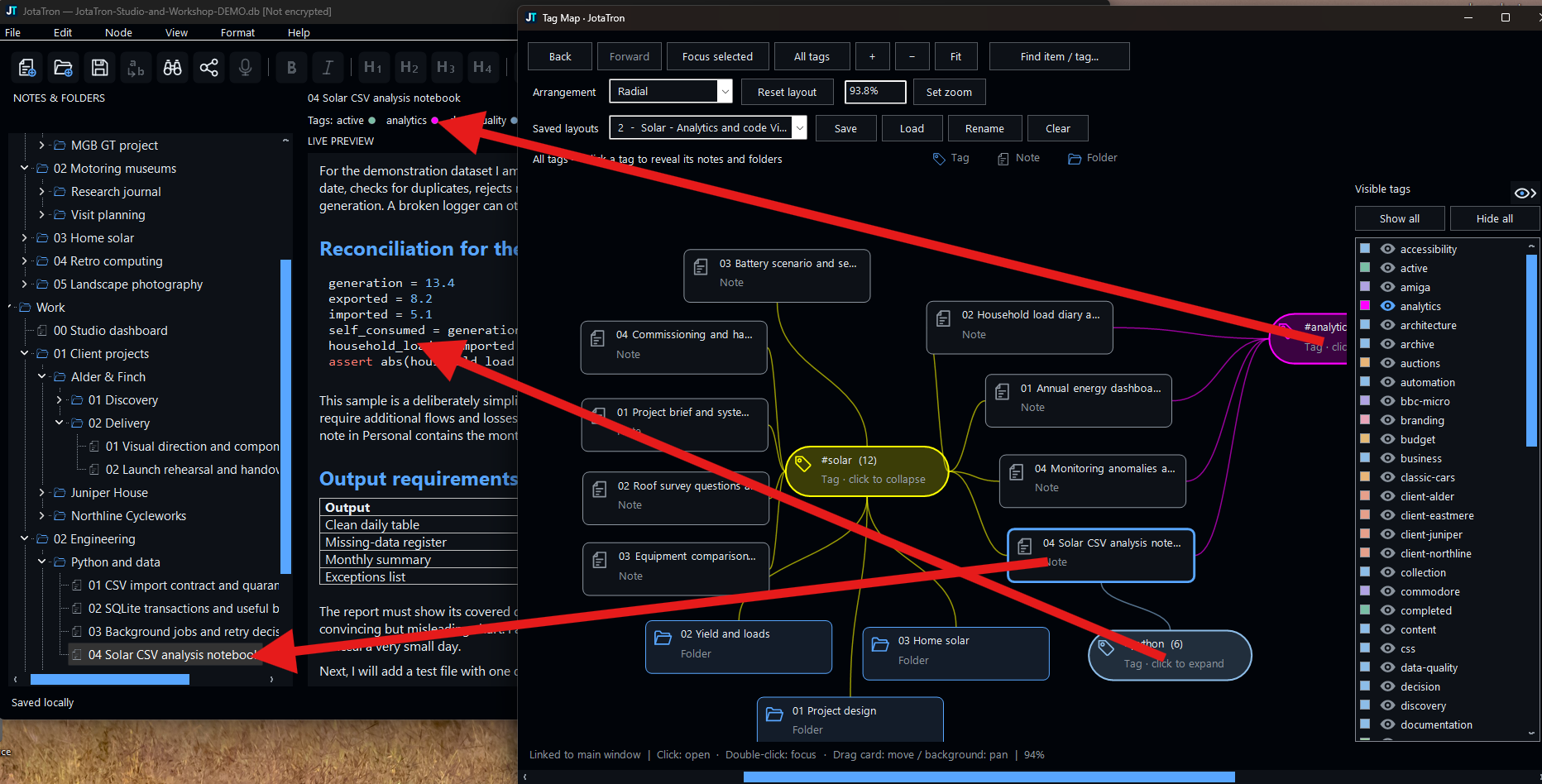
Focus the Tag Map on a subject, arrange its linked notes and folders, hide distractions and save useful views.
Combine note-content search with tag filters, open results in context and step through highlighted matches.
Choose SQLCipher encryption when creating a notebook and lock the visible workspace whenever you step away.
Install the optional Whisper model, choose a microphone and insert recognised English speech at the Markdown caret.
Tag Map
Folders are excellent for placing information. Tags are useful when one idea belongs to several subjects. Tag Map turns those assignments into a navigable visual workspace linked to the main editor.
Local by design
JotaTron does not require an online account or hosted notebook service. Choose where the database and its backups live. Optional encryption protects stored notebook content while the file is closed.
Dictation is also local after its model has been explicitly downloaded. External web links open only when you choose them.
Try it with a real notebook
The synthetic sample includes 75 substantial notes, 43 folders, 63 colour-coded tags and embedded diagrams. Use it to explore JotaTron without adding your own data first.